
ƒ Real App Simulator Online for Testing Apps | Lastapp AI
LastApp Logo
100+ Cloud Simulators & Emulators

Test on Real iOS & Android Devices Instantly

Industry-leading real device streaming with 100+ built-in cloud simulators. Switch between devices, screen sizes, and OS versions on the go. No downloads, no SDKs required.

100+
Devices
iOS 26
Latest Support
Android 16
Latest Support
Real iOS Simulator and Android Emulator

Real Device Testing in the Cloud

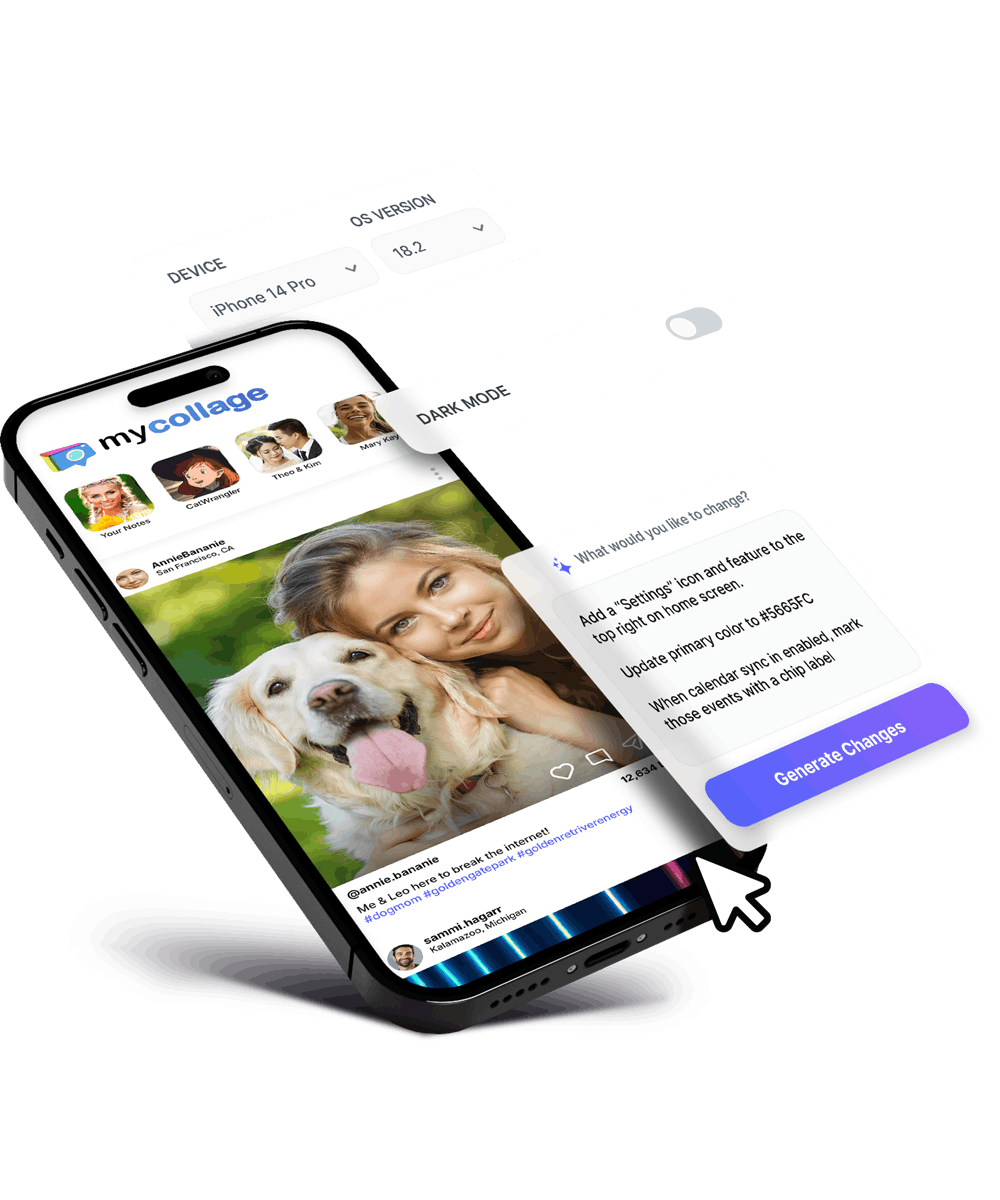
LastApp.ai offers 100+ built-in mobile device simulators (for iOS) and emulators (for Android), enabling real app performance preview and live editing with simple voice and text prompts.

100% Real Simulation

Real device app streaming guaranteed. From clicks, taps, scrolling, and swipes to load speed, screen orientation, resource usage, and network performance, all functions and features are relayed as they would be in the target device, giving you an actual feel of the end-user experience.

Multi-Channel Simulation

Test apps in fully operational Android and iOS environments. Or even export live to your physical device for more in-depth previews, such as camera and haptic performance.

Low Resource Requirements

No additional hardware or software needed to run simulations. All simulation/emulation features are cloud-based; you don't have to spend hours downloading and installing large programs just to simulate a few devices.

iOS Simulators

Seamless iOS simulation for iPads and iPhones (from iPhone 8 to iPhone 17 Pro Max), across iOS versions 15.5 up to 26.0.

Android Emulators

Easily preview your app across various Android operating systems, from version 8.1 up to 16.0. Available for Google, Samsung, and Nexus devices.

Quick Switch

LastApp.ai allows you to easily switch between different phone and tablet devices, screen sizes, and OS versions in a few clicks, enabling instant, yet comprehensive previews across different environments and specifications.

Test Your App in 4 Simple Steps

No setup, no downloads. Just build and test on real devices instantly.

1

Build Your App

Create your app using natural language prompts. Our AI generates native code automatically.

2

Select a Device

Choose from 100+ iOS simulators and Android emulators, from iPhone 8 to iPhone 17 Pro Max.

3

Test in Real-Time

Experience real device streaming with actual taps, swipes and performance.

4

Switch & Validate

Instantly switch devices, screen sizes, and OS versions to ensure compatibility everywhere.

See How We Compare

The only platform with 100+ real cloud simulators and zero setup required.

Feature LastApp.ai Local Simulators Device Farms Physical Devices
Setup Required None SDK Install Account Setup Buy Hardware
Real Device Behavior 100% Approximated Real Real
Device Variety 100+ Devices Limited Wide Range What You Own
Switch Speed Instant Minutes Queue Wait Manual
iOS Testing on Windows Yes Mac Only Yes No
Cost Included Free (after SDK) Per Minute $1000+
Updates & Maintenance None Manual No Manual

Built for Every Testing Scenario

From quick previews to comprehensive testing, see how teams use LastApp.ai simulators.

Rapid Prototyping

Preview changes instantly as you build

Outcome: See your app running on real devices within seconds of making changes. Iterate faster with instant visual feedback across iOS and Android.

Cross-Device Testing

Validate layouts across screen sizes

Outcome: Test on everything from iPhone SE to iPad Pro to Samsung tablets. Ensure your UI looks perfect on every screen size and resolution.

OS Version Compatibility

Test across iOS 15 to iOS 26

Outcome: Verify backward compatibility and ensure your app works flawlessly across all supported OS versions without maintaining multiple test devices.

Client Demos

Show stakeholders real app behavior

Outcome: Present to clients on any device they specify. Switch between iPhone and Android in seconds to demonstrate cross-platform capabilities.

Windows Developers

Test iOS apps without a Mac

Outcome: Build and test iOS apps from any operating system. No Mac required - just open your browser and start testing on real iOS simulators.

100+ Devices at Your Fingertips

Test on the full range of iOS and Android devices without owning any of them.

iOS Devices & Versions

iPhone 8 - 17 Pro Max
iPad Mini
iPad Air
iPad Pro
iOS 15.5
iOS 16.x
iOS 17.x
iOS 26.0

Android Devices & Versions

Google Pixel
Samsung Galaxy
Nexus Devices
Various Tablets
Android 8.1
Android 12 - 14
Android 15
Android 16.0

Trusted by Thousands of Builders

See what developers and teams say about testing with LastApp.ai simulators.

"

Testing iOS apps from my Windows laptop was impossible before LastApp.ai. Now I can test on any iPhone or iPad instantly without buying a Mac.

RJ

Ryan J.

Full-Stack Developer

"

The instant device switching is a game-changer. I can validate layouts across 10 different devices in the time it used to take to test on one.

AL

Amanda L.

UI/UX Designer

"

No more maintaining a drawer full of test devices. The cloud simulators behave exactly like real devices - taps, swipes, everything feels authentic.

DK

David K.

QA Engineer

Frequently Asked Questions

Everything you need to know about testing with LastApp.ai simulators and emulators.

How many minutes of Emulator access do I have?
Users will have access based on their plan:
  • Builder Basic - 30 mins / month
  • Builder Pro - 60 mins / month
  • Builder Unlimited - 600 mins / month
Can I buy more minutes?
Currently, you will need to upgrade to the higher tier. In the future, we will provide the ability to add more minutes.
Are these real simulations or approximations?
They are 100% real simulations. Every interaction including taps, swipes, scrolling, orientation changes, load times and resource usage behaves like it would on a target device, giving you a true end-user experience.
Can I preview the app on a real physical device?
Yes. In addition to cloud simulators/emulators, you can export and run the app live on your own device by downloading the code and launching via Xcode for iOS. Alternatively, you can test in TestFlight. Android apk can be directly downloaded to the device using the App Share link.

Previewing app on a physical device is important and useful for testing hardware capabilities like:
  • Camera behavior
  • Haptics
  • Sensors
  • Real-world performance nuances
  • Location
Do I need to install any software or SDKs?
No. Everything is cloud-based. No local emulator installation, downloads or device requirements. You can start testing immediately from your browser.
How many devices and OS versions are supported?
LastApp.ai includes 100+ built-in devices, covering:
  • iOS: iPhone and iPad models from iPhone 8 through iPhone 17 Pro Max and various iPads
  • iOS versions: 15.5 up to 26.0
  • Android: Google, Samsung, Nexus and various Tablet devices
  • Android versions: 8.1 through 16.0
Can I switch devices and OS versions quickly?
Yes. You can switch devices, screen sizes, and OS versions in just a few clicks to easily validate layouts, performance, and behavior across iOS and Android Platforms.

Ready to Test on Any Device?

Preview your app across 100+ devices without any hardware setup. Start testing free today - no credit card required.

Start Testing Free